

 TERMINAL
 API
APIPlace order
Use the Place Order widget to submit orders, navigate advanced and time-in-force options to manage risk more effectively
Summary
Use this widget to place new orders.
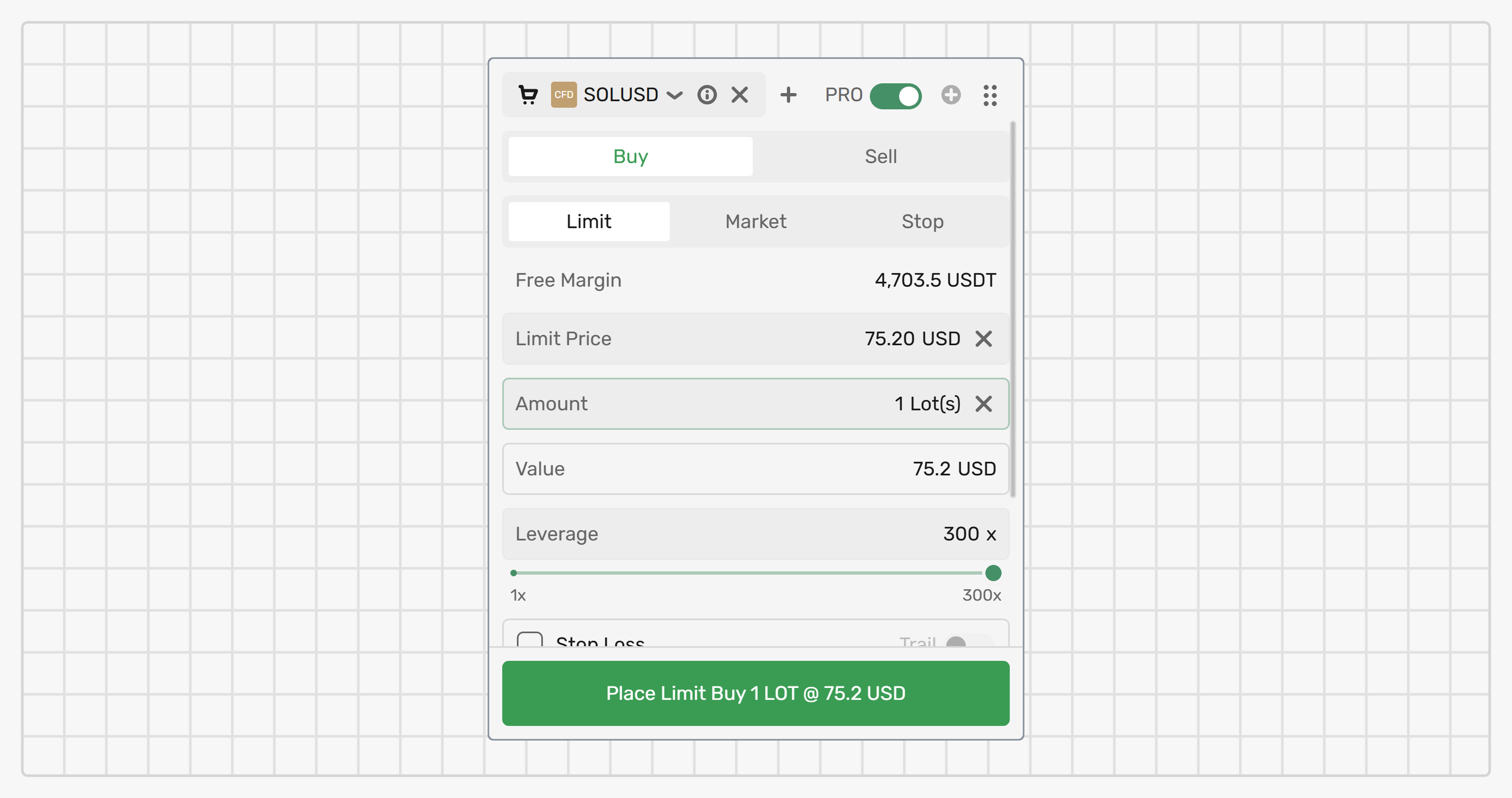
The widget has two states:
The PRO toggle is disabled
In this state, you can quickly place IOC Market and GTC Limit orders by selecting the order side (Buy/Sell) and type (Market/Limit), and specifying the order size (in lots) and price (for Limit orders).
You can also place orders on CFD markets with the maximum leverage automatically applied.
The PRO toggle is enabled
In this state, you get access to more precise order settings, such as:
- Stop orders
- Time in force
- Leverage
- Take profit, Stop loss, Trailing stop
- Comment
- Complete order information
The Comment field allows you to attach a text note to the order (up to 100 characters). The comment is inherited by the resulting position and can't be edited after the order is placed.
Settings
Select a market
The market on which the order will be placed is displayed in the widget header.
To change the market, click the market symbol and select a different one from the list.
Place an order
To place an order, fill in the parameters, review order details and preliminary calculated values, and then confirm the order by clicking the Place button.
For a Limit order whose price crosses the current top-of-book — Buy at or above the best ask, or Sell at or below the best bid — the platform shows a confirmation dialog before submission. The dialog shows the entered price and the current best bid/ask, and lets you confirm or cancel the order. This warning is enabled by default; you can disable it from the dialog (Do not show this warning again) or from the Limit order cross-TOB warning toggle in Settings.
Set price triggers
If using Take profit, Stop loss, Trailing stop, set the prices in consideration of the current highest market bid/ask or a specified Limit price:
| Initial order | Take profit | Stop loss | Trailing stop |
|---|---|---|---|
| Buy | Higher | Lower | Lower |
| Sell | Lower | Higher | Higher |
These values can be adjusted any time until the position is fully closed via the Open positions widget.
During non-trading hours, according to the trading calendar schedule, you can place only Stop Market and Stop Limit orders. The Place button stays enabled when the order type is Stop and is disabled for Market and Limit. A Stop order placed outside trading hours is accepted immediately and starts watching for its stop price when the market reopens. For details, see Stop orders.
The order controls are disabled when the selected account is Halted or Frozen. For more information, see Account status.
You will not be able to place an order if the execution of the order causes your margin level to fall below the Margin call level. The same conditions apply to withdrawal operations.
Zuletzt aktualisiert am